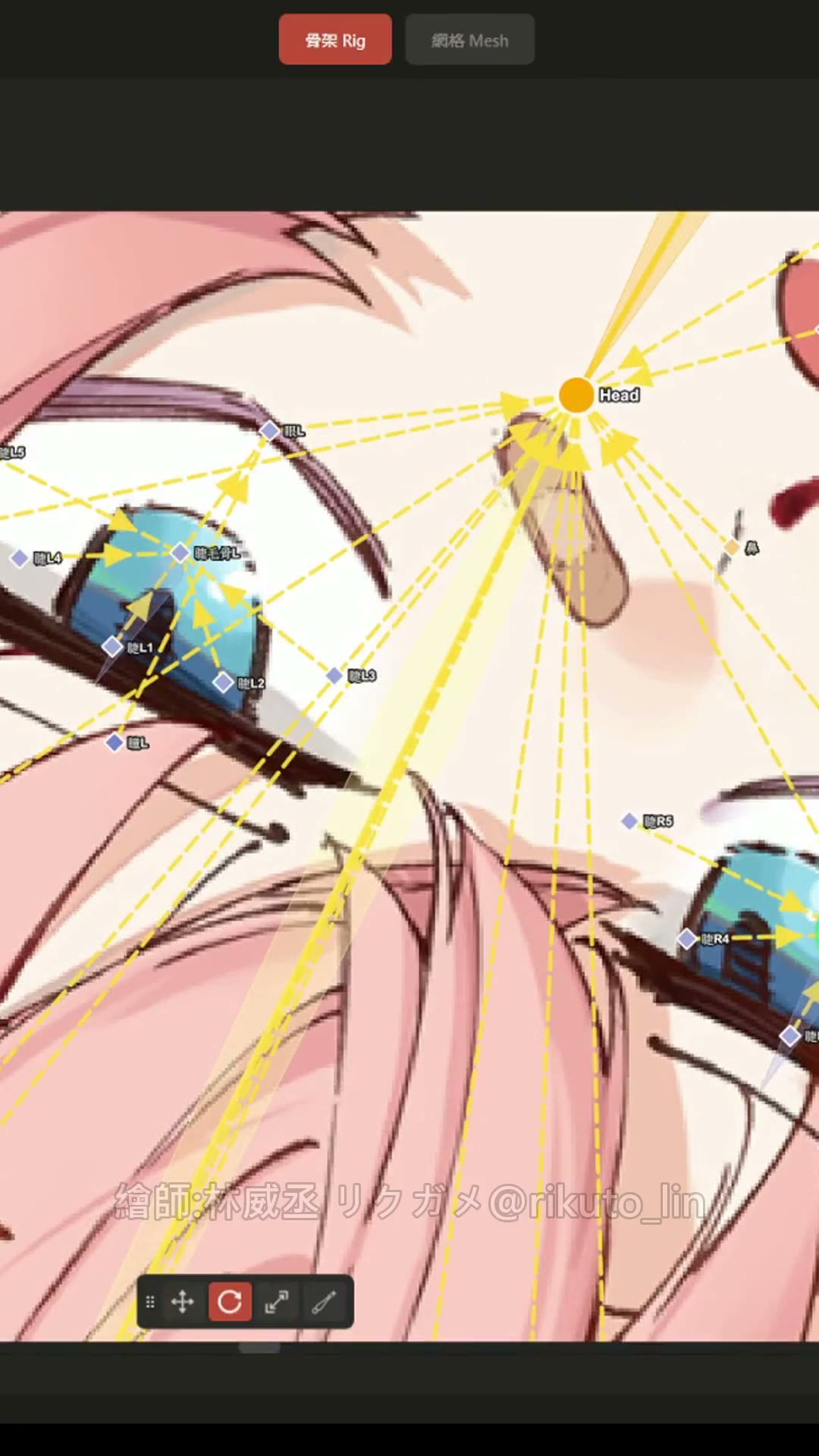
Introducing AutoRig for Spine2D, a tool I’ve been working on for a while!
This video gives you a quick look at my updated workflow. Setting up rigs directly in Spine felt slow to me, so I built a companion tool that still works with Spine. The controls are similar, so if you know Spine, you’ll feel right at home.
I’ve added some handy features and integrated mesh generation, including batch meshing that I’ve found more accurate than Spine’s.
Then I let Claude handle the binding. After a few rounds of refining the skill, a simple “bind this for me” was enough. Maybe it’s already familiar with my Spine workflow and rigging habits after all this time, lol.
The weights still need a human eye and some manual cleanup, but Claude can handle multiple variants and masking issues in one go. For the character shown here, going from setup to an animation-ready rig took around two hours—several times faster than my usual process!
I think tools like this could help our industry work more efficiently. I’m not looking to squeeze money out of everyone, and I’m sure more people will build similar tools, so I’m planning to release a free trial version!
Join my Discord server to get access when it’s ready! There will also be special tool offers for students.
The trial might have a few bugs—you can’t expect me to hand over my overpowered build, right? Or you can try fixing it yourself (๑•̀ㅂ•́)و✧
Thanks, everyone!
Illustration: @rikuto_lin
#spine2D #spinetool #animation #animationtool #autorig
Apps & websites
AutoRig for Spine2D cuts rigging time to two hours
Animator Shikabashi built a companion tool that adds mesh generation and batch meshing to their Spine2D workflow. Claude handles binding after a few rounds of skill refinement; the character shown went from setup to animation-ready rig in about two hours.
7.1Klikes
403reposts
6.7Ksaves
290Kviews
- Made with
- Claude
- Role
- Spine2D animator
- Posted